In the last post I argued that ls has defaults from a world that no longer exists. cd has a stranger problem. It does not have bad defaults. It has no state at all.
Every time you navigate, you start from nothing. The shell has watched you type the same forty character path every morning for six months and has learned precisely nothing from it. Tab completion helps, but tab completion is still you doing the work, one path segment at a time.
The shape of the problem in research computing 🗺️ Link to heading
Look at the kind of path these pipelines actually produce:
/data/projects/spatial_pilot/analysis/visium_hd/sample_A1/outs/binned_outputs/square_008um
Now consider that in a normal working session you might bounce between that directory, the scripts folder in a completely different tree, a scratch directory on the cluster, and your local repository. Fifty times a day, easily.
The usual coping strategies all have failure modes. Shell variables mean maintaining a set of variables you forget to update. Symlinks clutter your home directory and break when projects move. pushd and popd are genuinely useful but require you to plan your navigation in advance, which nobody does. Bookmarks in your shell config go stale within a month.
The underlying issue is that all of these ask you to declare where you will want to go. You do not know that in advance. But your shell already knows where you have been.
What zoxide does with that ⚡ Link to heading
zoxide tracks every directory you visit and scores it. The scoring metric is usually called frecency: a combination of how often you visit a directory and how recently. A folder you opened once in March scores near zero. A folder you have been in twenty times this week scores high.
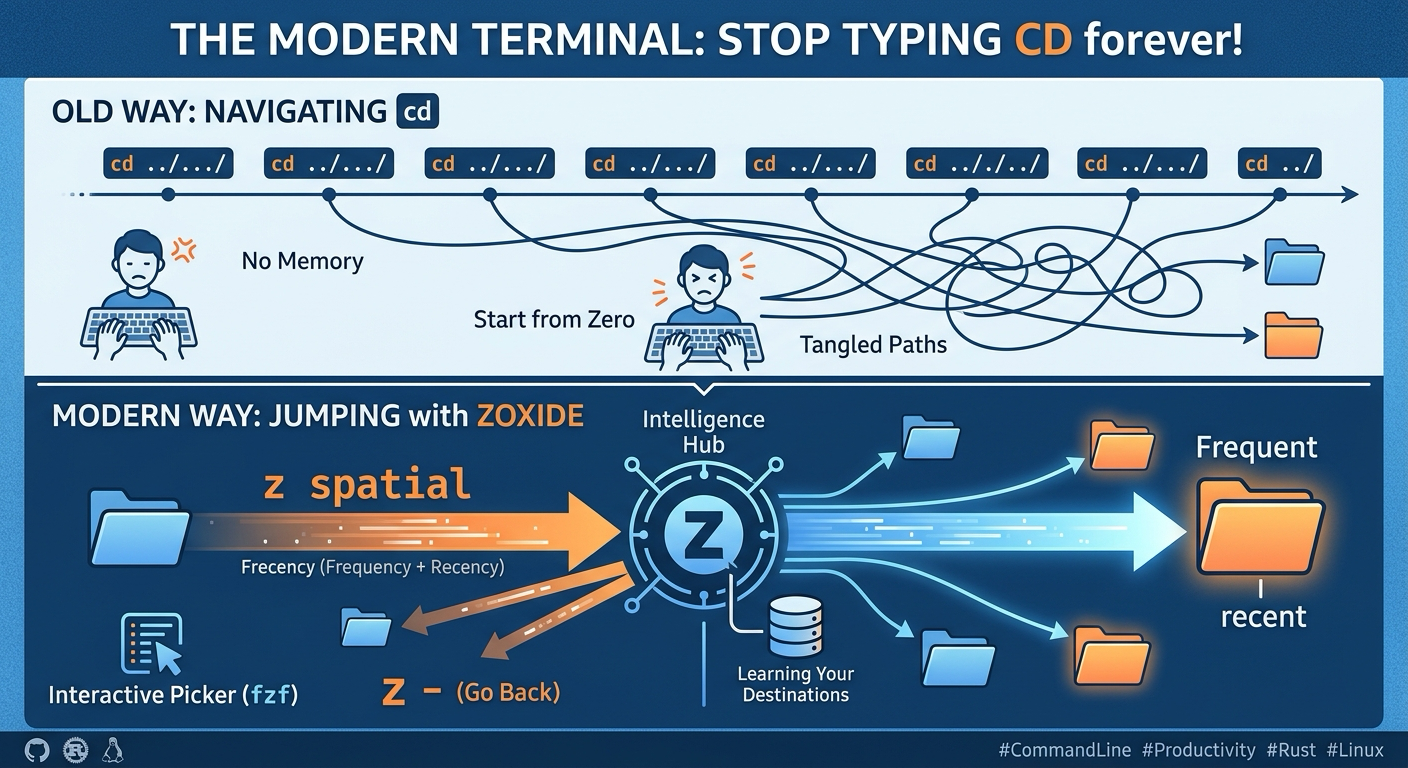
Then it lets you jump using any fragment of the path:
z spatial
zoxide finds the highest scoring directory matching spatial and takes you there. Not the first match alphabetically, not the shallowest, the one you actually work in.
When one fragment is ambiguous, add another:
z spatial outs
Both fragments must match, in order, somewhere in the path. This is enough to disambiguate almost anything without ever typing a full path.
The commands worth committing to memory are few:
z <fragment>: jumps to the best matchz -: returns to your previous directoryzi <fragment>: opens an interactive fuzzy picker when you genuinely want to choose from candidateszoxide query -l: prints everything the database knows, rankedzoxide remove <path>: prunes an entry for a project you have finished
That is the whole tool. There is no configuration you need to do, no bookmarks to maintain, no manual curation.
Why this fits computational biology in particular 🧬 Link to heading
Three things about our directory structures make this land harder than it does for general software work.
Paths are deep and machine generated. Cell Ranger, Space Ranger and similar pipelines produce nested output trees with sample identifiers you did not choose and cannot remember. You are not going to type binned_outputs/square_008um from memory. You will fragment match on 008um and be done.
Work is split across filesystems. Code in a repository, raw data on a cluster mount, working analysis on a local drive, scratch space somewhere else again. These trees have nothing structurally in common, so no amount of clever cd .. gets you between them. Fragment matching does not care about tree structure at all.
Projects have long tails. You go back to a project from eighteen months ago because a reviewer asked a question. With frecency scoring, that directory has decayed out of your top matches, which is correct. One zi with a fuzzy picker finds it, and now it climbs back up the rankings for as long as you are working on the revision.
That last property is worth dwelling on. A static bookmark list would still be showing you the project you finished last year. A frecency ranked database naturally tracks what you are working on right now, without you ever curating it.
This idea is older than zoxide 📜 Link to heading
Worth being honest about lineage. zoxide did not invent frecency based directory jumping. It is the current best implementation of an idea that has been circulating for well over a decade.
The ancestor is autojump, written in Python, which popularised the concept. Then came z, a compact shell script by Rupa Kumar that many people still use, and z.lua, a Lua reimplementation aimed at speed. fasd extended the idea beyond directories to files and commands.
zoxide’s contribution is not conceptual, it is engineering. It is written in Rust and compiled, so the overhead added to every cd is negligible rather than merely acceptable. It supports every major shell from one codebase, which the shell script implementations could not. It handles edge cases like directories that no longer exist without complaining at you. And it ships fzf integration rather than expecting you to wire it up.
I mention the history for two reasons. First, if you already use z or autojump and are happy, you have most of the benefit already and switching is optional. Second, the fact that this idea has been independently reimplemented four or five times over fifteen years is itself evidence. Tools that keep getting rebuilt are usually solving something real.
Setup 🛠️ Link to heading
Install via cargo, your package manager, or the install script:
cargo install zoxide --locked
Then add the init line to your shell configuration. For zsh, in ~/.zshrc:
eval "$(zoxide init zsh)"
Substitute bash, fish, powershell or others as appropriate. The tool works best alongside fzf, which powers the interactive zi picker. If fzf is not installed, zi degrades to a plain numbered list, which is workable but noticeably worse.
Once you trust it, you can have zoxide take over cd entirely:
eval "$(zoxide init zsh --cmd cd)"
I resisted this for a while and then did it. Plain cd behaviour is preserved for real paths, so cd ../scripts still works exactly as expected. The jumping behaviour only kicks in when the argument is not a valid path. There is no downside I have found.
Two practical notes 📌 Link to heading
On shared clusters, mind your database location. zoxide stores its data under your data directory, typically ~/.local/share/zoxide. If your home directory is shared across login nodes, your jump history follows you between them, which is what you want. If you use several distinct clusters, each maintains its own database, which is also what you want.
It will learn from directories you do not care about. Every cd into a temp folder or a dependency directory adds an entry. In practice frecency decay handles this and the noise never surfaces in matches. If something persistently annoys you, zoxide remove it and move on.
The bottom line 🎯 Link to heading
The tools in this series share a pattern. They do not add capability. They remove friction from something you already do constantly.
zoxide is the clearest case of it. Navigation was never the interesting part of your work, and it was never something you were going to get better at through practice. It was a tax. zoxide mostly stops charging it.
The honest test is the one I applied to every tool in this series: use it for two weeks, then try to go back. With zoxide, going back to plain cd feels like the terminal has developed amnesia.
Next post: dust, and finding out where your disk quota actually went.