Every shared cluster I have worked on eventually sends the same email: you are at 95% of your quota. And the ten minutes after that email always go the same way.
du -sh * | sort -h
cd the_biggest_one
du -sh * | sort -h
cd the_biggest_one_again
Four or five rounds of that and you find the culprit. Usually it is something you did not know you had.
The problem with du 🧮 Link to heading
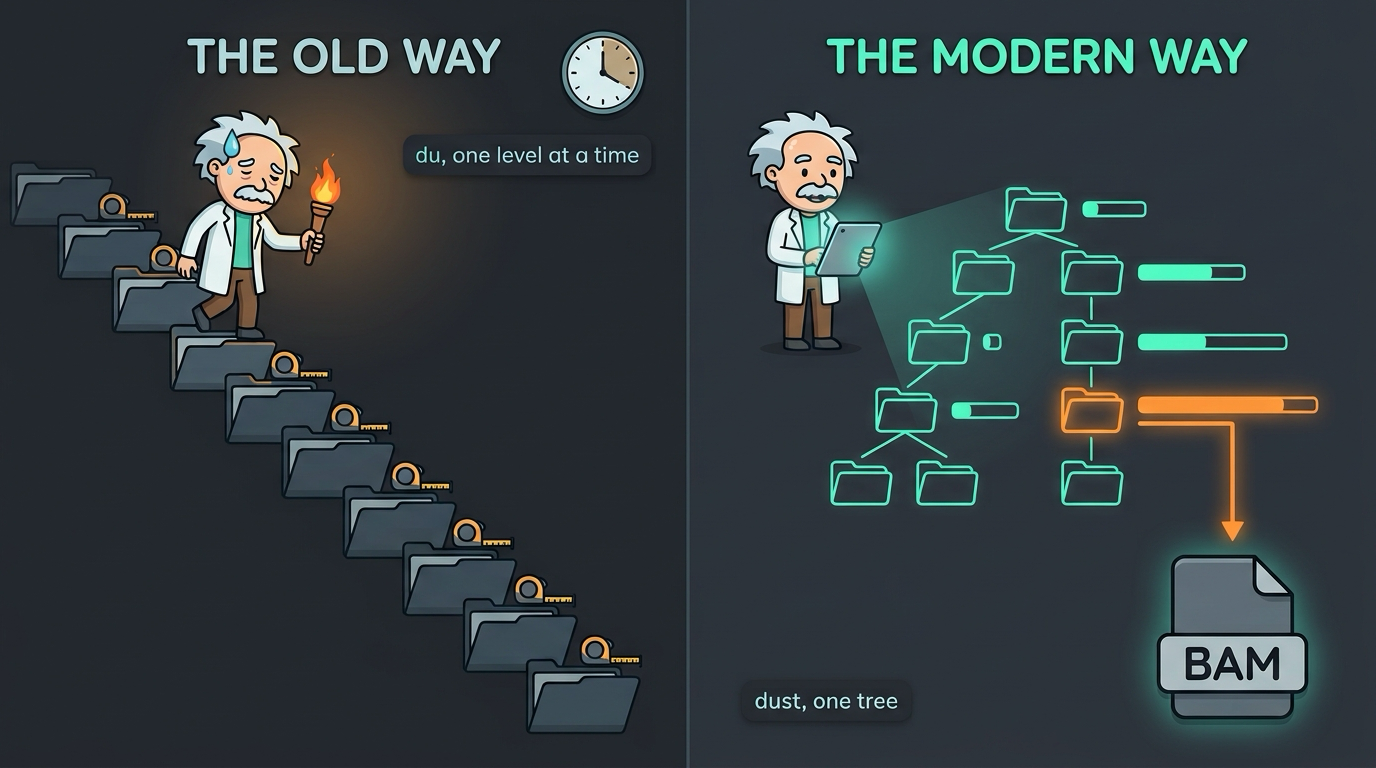
du is not a bad tool. It answers its question accurately: how big is this thing? The trouble is that this is not the question you have when the quota email arrives. The question you have is: where did the space go? That is a path from where you are standing to the thing that is big, and du gives it to you one level at a time.
Every round of the dance also walks the tree again. On a local SSD that is fine. On a network filesystem holding millions of files, each pass can take minutes, and you are repeating most of the work every time you go one directory deeper.
ncdu fixed the navigation part years ago by making it interactive. It is a good tool. But it is still a session you have to drive, and most of the time I do not want to browse. I want to be told.
What dust does 📊 Link to heading
dust walks the tree once, in parallel, and prints a single tree of the largest things underneath where you are, with percentage bars, trimmed to fit your terminal. The biggest entries print last, so they end up right above your prompt where your eyes already are.
Run it in a Space Ranger project and you get something like this (simplified):
 1.9G     ┌── raw_feature_bc_matrix      │       ████ │  10%
  16G     ├── possorted_genome_bam.bam   │ ██████████ │  84%
  18G   ┌─┴ outs                         │ ██████████ │  96%
  19G ┌─┴ sample_A1                      │ ██████████ │ 100%
One command, one screen, and the answer is the long bar. In this case it is the BAM, which is the answer more often than not.
The flags worth knowing are few:
dust -d 2: limits the tree depth when you only want the top of the picturedust -n 40: shows more lines than fit on screen by defaultdust -r: reverses the order so the biggest entries print firstdust -X .git: ignores a directory by namedust -f: counts files instead of bytesdust -s: reports apparent size rather than disk usage
That is most of it. Like zoxide, the tool is useful immediately with no configuration.
Why this fits research computing 🧬 Link to heading
Three things about our environments make dust more useful than it is on a laptop.
Your quota is full of things you did not write. The conda package cache. The Apptainer or Singularity image cache. The pip cache. An R library that has quietly accumulated three versions of Bioconductor. Nextflow work/ directories from pipelines that finished months ago. Run dust in your home directory and one of these is usually in the first screen. You would not find them with du unless you already suspected them, because none of them are where you look.
Many clusters have inode quotas, not just size quotas. You can be well under your space limit and still be blocked because you own too many files. Conda environments and pipeline work directories are made of hundreds of thousands of small files. dust -f answers “where did my file count go” in the same single tree. GNU du does have an --inodes flag, to be fair, but it has the same one-level-at-a-time problem.
Pipeline outputs are deep and uneven. Cell Ranger and Space Ranger output trees put almost all of their weight in one or two files. A tree with percentage bars shows you that shape instantly, which is also useful when deciding what to archive and what to delete once a project is done.
A few honest notes 📌 Link to heading
The quota tool is the authority, not dust. Filesystems like Lustre, GPFS or ZFS can report usage differently from what a directory walk sees, because of compression, sparse files or block sizes. If your cluster’s quota command and dust disagree, believe the quota command. Use dust to decide where to look.
Be polite on shared filesystems. Parallel walking is faster, but metadata operations are the bottleneck on network filesystems, and they are shared with everyone else. Run dust on the directories you own, not on the whole project space every five minutes from a login node.
ncdu is still the better tool for interactive cleanup. If you want to browse and delete from inside the tool, keep ncdu. dust is for looking, and for getting the answer in one shot.
The idea is not new. du dates from early Unix. ncdu, gdu and dua have all tackled the same problem. dust’s contribution is the presentation: one static tree, bars, and sensible defaults. I first wrote about it in December 2024, and I use it more now than I did then.
Setup 🛠️ Link to heading
Install via cargo (note the crate name), Homebrew, or your package manager:
cargo install du-dust
brew install dust
On clusters where you have no root access and no Rust toolchain, the project publishes prebuilt static binaries on its GitHub releases page. Download one into ~/.local/bin and you are done.
One piece of advice: do not alias du to dust. The output formats are completely different, and plenty of scripts, including other people’s that you run, parse du output. Keep du for scripts and dust for your eyes.
The bottom line 🎯 Link to heading
du is a measuring tool. dust is a finding tool. When the quota email arrives you do not need measurements, you need to find something, and dust turns a five-round search into a single command.
The quota email still arrives. It just stops costing me twenty minutes.
Next post: ouch, and never looking up tar flags again.