The R User’s Privilege Link to heading
Here’s something R users take for granted: install.packages("Seurat") just works. You open R, you type the command, it downloads, compiles if necessary, and installs. No environment to activate first. No channel to specify. No “solving environment” progress bar that taunts you for twenty minutes while apparently doing nothing.
When you move to Python, the first thing everyone tells you is “use conda.” So you install Anaconda (or Miniconda, if someone wise intervened), create an environment, and try to install scanpy. And then you wait. And wait. And then conda tells you there’s a channel conflict, and you spend an hour on Stack Overflow learning what channels are, and by the end of the afternoon you’ve gone back to R.
This is not an exaggeration. Package management has been Python’s biggest barrier to entry for R users for years. The good news is that it doesn’t have to be this way anymore.
What Went Wrong with conda Link to heading
Conda isn’t a bad tool: it solves a genuinely hard problem. Python packages often depend on compiled C/C++ libraries (BLAS, HDF5, CUDA), and pip can’t manage those system-level dependencies. Conda can. It distributes pre-compiled binaries that include everything a package needs, across operating systems.
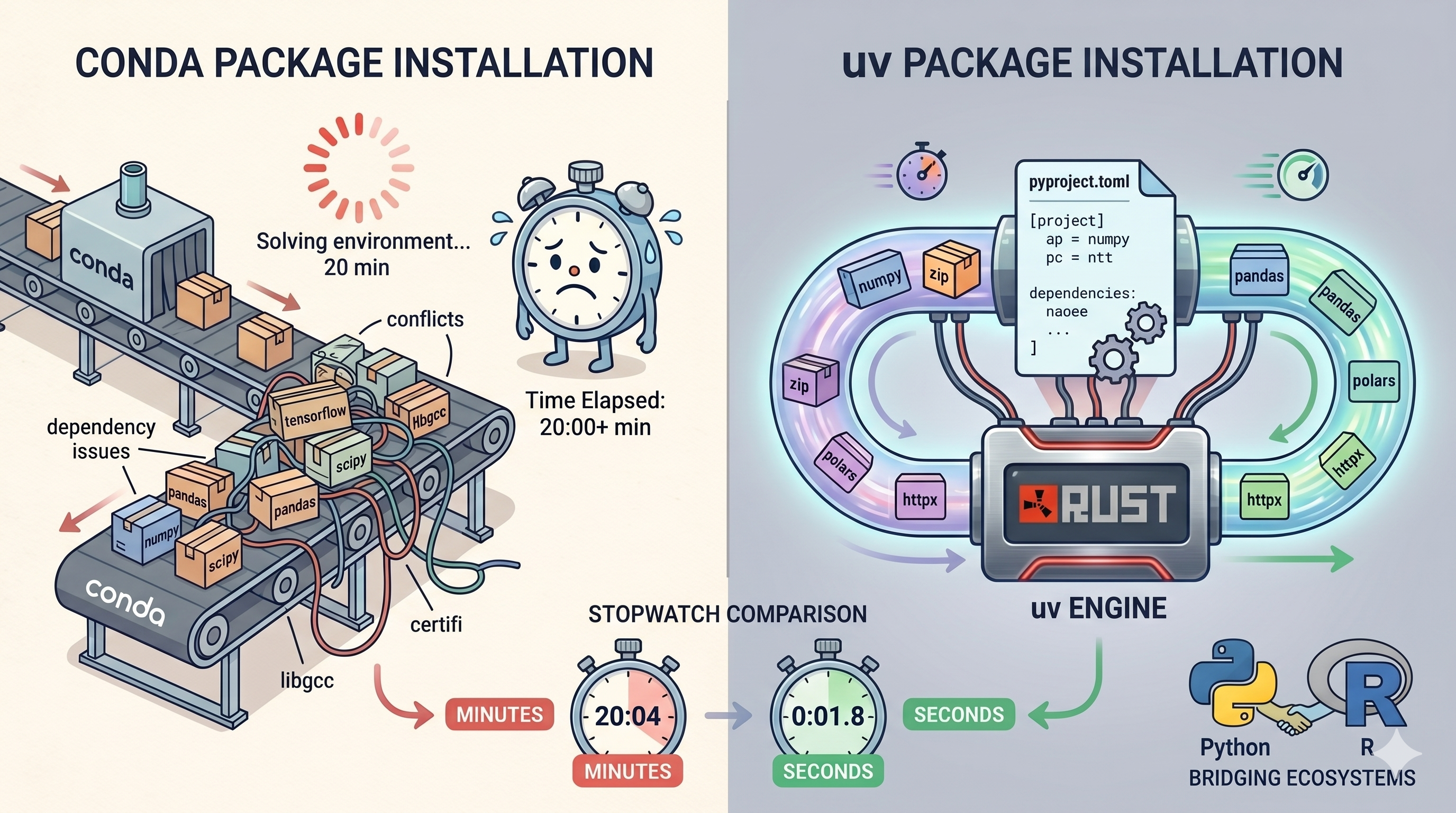
The problem is everything else. Conda’s dependency resolver is slow because it tries to satisfy constraints across both Python packages and system binaries simultaneously. The channel system (defaults vs conda-forge vs bioconda) creates conflicts that are genuinely confusing for newcomers. Environments are large: a fresh conda environment with scanpy and its dependencies can easily consume several gigabytes. And the whole system feels heavy: slow to create environments, slow to install packages, slow to update.
For R users accustomed to install.packages() finishing in seconds, conda feels like a punishment for choosing Python.
There’s also the cognitive overhead. In R, you install a package once and it’s available in any R session. In conda, you need to remember which environment you’re in, activate it before running code, and manage separate installations of the same package across different environments. It’s a completely different mental model, and for someone who just wants to analyse their data, it’s an unnecessary barrier between you and your science.
What Is uv? Link to heading
uv is a Python package and environment manager built by Astral (the same team behind the Ruff linter). It’s written in Rust, and it is astonishingly fast, typically 10 to 100 times faster than conda or pip for common operations.
But speed is just the headline. What makes uv genuinely exciting for R users migrating to Python is how much it simplifies the entire workflow:
# Create a new project
uv init my-scrna-project
cd my-scrna-project

# Add dependencies
uv add scanpy anndata polars matplotlib

# Run your script
uv run python analysis.py
That’s it. No conda create, no conda activate, no environment.yml. uv creates a virtual environment automatically, resolves dependencies in seconds, generates a lockfile for reproducibility, and manages everything through a single pyproject.toml file.
The R Translation Link to heading
If you’ve used renv in R, uv will feel conceptually familiar. Both tools create project-specific environments with pinned dependency versions for reproducibility. The difference is that uv also manages your Python installation itself:
# Install a specific Python version
uv python install 3.12

# Pin it to your project
uv python pin 3.12
This is like having renv and rig (the R installation manager) combined into a single tool. One command to manage your language version, another to manage your packages, and a lockfile that guarantees reproducibility across machines.
The Practical Workflow Link to heading
Here’s what setting up a new scRNA-seq analysis project looks like with uv:
# 1. Create project
uv init scrna-analysis
cd scrna-analysis

# 2. Add your dependencies
uv add scanpy anndata polars matplotlib seaborn

# 3. Add dev dependencies separately
uv add --dev pytest ruff

# 4. Run your analysis
uv run python preprocess.py

# 5. Share with collaborators
# They clone your repo and run:
uv sync  # Installs exact same versions from lockfile
The uv sync command is the killer feature for reproducibility. Your collaborator clones the repo, runs one command, and gets the exact same environment you have, down to the patch version of every dependency. No more “it works on my machine” debugging sessions.
Compare that with conda, where sharing an environment means exporting an environment.yml, hoping your collaborator is on the same OS, and praying that the dependency resolver produces the same solution on their machine. uv’s lockfile is deterministic: same input, same output, every time.
When You Still Need conda Link to heading
I promised honesty in this series, and here it is: uv doesn’t replace conda for everything.
Conda’s superpower is managing compiled, system-level dependencies: CUDA drivers for GPU computing, MKL for optimised linear algebra, HDF5 libraries, and similar compiled binaries that pip and uv simply cannot distribute through PyPI.
If your workflow involves GPU-accelerated tools like scVI, scANVI, or anything built on PyTorch with CUDA, you may still need conda (or its faster cousin, mamba) to set up that base layer. The practical approach many teams take in 2026 is hybrid: use conda or mamba to create an environment with the GPU/system dependencies, then use uv for all the Python-level packages on top.
But for the vast majority of bioinformatics Python work (scanpy, anndata, polars, matplotlib, scikit-learn, CellTypist), uv handles everything perfectly. You probably don’t need conda at all unless you’re doing deep learning on GPUs.
The Speed Difference Is Not Subtle Link to heading
This isn’t a marginal improvement. Installing scanpy and its dependency tree with conda can take several minutes. With uv, it takes seconds. Creating a fresh environment with uv is nearly instantaneous. Resolving complex dependency trees that would make conda’s solver spin for minutes happens in under a second with uv.
That speed difference compounds. Every time you create a new project, every time you add a dependency, every time a colleague sets up your environment on their machine, uv saves you minutes that add up to hours over the course of a project.
And unlike conda, uv doesn’t need you to remember to activate an environment before running your code. uv run handles it automatically: it finds the right environment, activates it, runs your command, and deactivates. One less thing to forget, one less error message to debug.
The Bottom Line Link to heading
Python’s biggest barrier to entry for R users, package management, has been solved. uv makes setting up Python environments as fast and painless as install.packages() ever was, with better reproducibility guarantees than most R users have ever had (unless they’re already using renv).
The Python community consensus in 2026 is trending heavily toward uv for new projects, and for good reason. It handles package installation, virtual environment creation, Python version management, and lockfile generation, all in a single tool that runs faster than any alternative. The days of needing to understand the difference between pip, virtualenv, pyenv, and conda just to get started are over.
If you tried Python before and bounced off conda, try again with uv. The experience is completely different.
Next up: qmd vs ipynb, why Quarto notebooks are the future of reproducible Python analysis, and why you should never have to look at notebook JSON again.
See you there.